

|
Name |
Drone Acro Simulator |
|---|---|
|
Google Play Link |
GET IT ON
Google Play
|
|
Category |
Simulation |
|
Developer |
Egobrook |
| Last version | 1.4 |
|
Updated |
|
|
Compatible with |
Android 7.1+ |
Introduction to Drone Acro Simulator
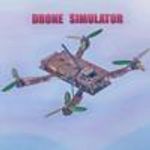
Drone Acro Simulator is a mobile simulator game designed for drone enthusiasts who want to sharpen their piloting skills in a virtual setting. It replicates the experience of flying in acro-mode—where manual control over pitch, roll, and yaw is key—making it ideal for those looking to get serious about aerial stunts or just nerd out on flight dynamics. This isn’t your average tap-to-fly kind of app. It’s more like a playground for tuning every tiny parameter to build your dream flight vibe.
The first thing that jumps out is how raw and hands-on the gameplay feels. You’re not guided by auto-correct features or casual-friendly control assists. Instead, you’re dropped into a zone where every flip, tilt, and throttle nudge actually matters. The physics engine feels surprisingly tight—one moment of inattention and bam, your drone's nose-diving into the ground. But it’s that very challenge that pulls in a certain kind of gamer: someone who’s all about that trial, error, and triumph.
Customization is where Drone Acro Simulator really flexes. You can tweak pretty much every part of your drone’s behavior—from air resistance and gravity settings to its rotation shutdown threshold. If that sounds technical, it is—but in a way that gives you total control. For people who’ve flown real FPV drones or just watched enough YouTube flight fails to care, that level of depth hits different.
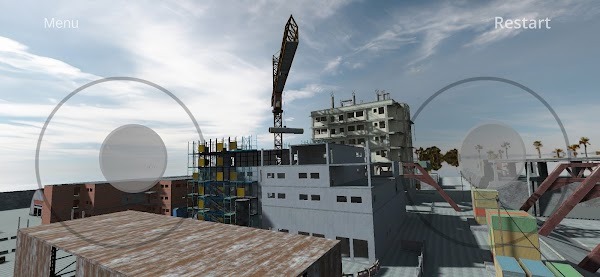
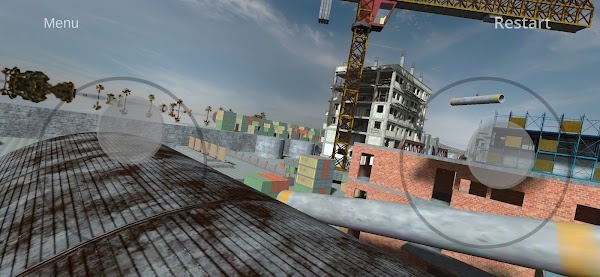
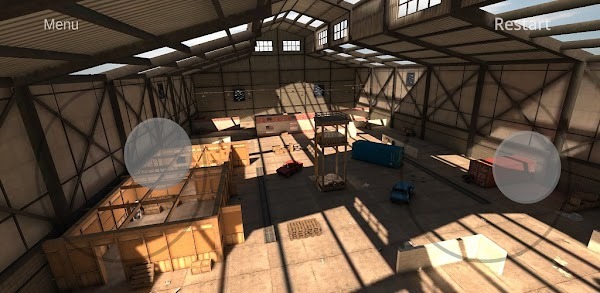
The game also supports external gamepads and even radio equipment, which adds serious value for sim lovers who want to replicate the feel of real-life gear. And while the demo version only offers one map out of four, the layout is decent enough to pull off freestyle maneuvers and get the hang of inverted flights, power loops, and smooth transitions. The full version opens up more diverse environments, but even the free map gives you room to build muscle memory.
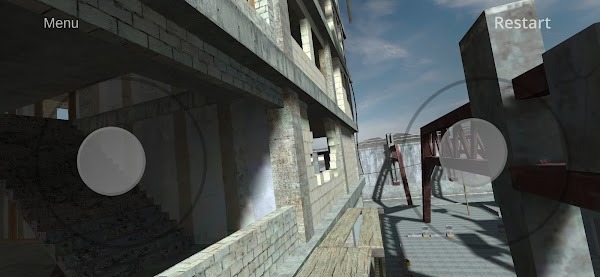
Graphics-wise, it’s serviceable. Nothing groundbreaking, but functional enough not to be distracting. What might throw some people off, though, is the lack of an option to disable inverted controls on the right joystick—a weird omission that makes flying less intuitive for new users. It’s a bit of a learning curve, but once you adapt, it weirdly becomes part of the challenge.
That said, if you’re new to the acro flying scene, the learning curve might feel brutal. The terminology alone (pitch, yaw, throttle midpoint) can be intimidating. But for those who are already knee-deep in the drone world—or curious enough to learn—this app becomes a sweet training ground without putting a real drone at risk of tree collisions.
FAQs Drone Acro Simulator
What is Drone Acro Simulator?
+
Drone Acro Simulator is a mobile drone-flying simulator that lets users practice manual acro-mode flight with realistic physics and fully adjustable settings.
Is Drone Acro Simulator free to play?
+
Yes, the game offers a free demo version with one playable map, while access to the full set of features and environments requires an upgrade.
Can I use a controller with Drone Acro Simulator?
+
Absolutely. The game supports gamepads and radio equipment, giving you a more immersive and hands-on flying experience.
Why are the controls inverted in Drone Acro Simulator?
+
The right joystick uses inverted controls by default, and currently, there’s no in-game option to switch it off, which can be tricky for new players.
What kind of settings can I customize in Drone Acro Simulator?
+
You can adjust graphics, gravity, air resistance, rotation limits, and more—perfect for sim fans who love to tweak and tune every aspect of flight.
Discover More Interesting Games
-

Tomodachi Life Living the Dream
v2.3
472
Updated -
Resident Slut 4
v0.3.0
112 MB
Updated -
Tomodachi Life
v2.1
450 MB
Updated -
Bunkered With Femboy
v0.1
118.79 MB
Updated -
Mod
Good Coffee, Great Coffee
v1.17.4
511.73 Mb
Updated -
Craftsman: Building Craft
v1.83
310.19 Mb
Updated -
Mod
Moto Wheelie 3D
v0.111
98.23 Mb
Updated -
Câu Cá Vạn Cân
v1.74.0
154.97 Mb
Updated -
Mod
RCS Real Combat Simulator
v1.1.2
437.72 Mb
Updated -
Mod
Custom Cars: Online Drive
v118
593.01 Mb
Updated









Share Your Thoughts